
Webhosting
Web Hosting และเซิร์ฟเวอร์บน CentOS
DirectAdmin: วิธีการปิดไม่ให้โดเมนส่ง spam ออก
เครดิตเทคนิคของ ICEZ จากกระทู้ http://www.thaihosttalk.com/showthread.php/78988 ก่อนอื่นต้องทำการแก้ไข template apache2 ของ DA เล็กน้อยโดยการ ย้ายตัวแปร |CUSTOM4| เข้าไปอยู่ในส่วนของ Directory cp
DirectAdmin เปิด ssl ให้ทุก user
DirectAdmin เปิด ssl ให้ทุก user สามารถใช้งาน ssl ได้ echo enable_ssl_sni=1 >> /usr/local/directadmin/conf/directadmin.conf service directadmin restart
DirectAdmin ปิด http://ip/~user
CustomBuild 2.0 now has the option by default: cd /usr/local/directadmin/custombuild ./build set userdir_access no ./build rewrite_confs http://help.directadmin.com/item.php?id
การตั้งค่า THAI สำหรับ PDF WHMCS เวอร์ชั่น 6
การตั้งค่าภาษาไทยสำหรับ PDF WHMCS เวอร์ชั่น 6 (WHMCS Version 6 PDF THAI FONT) ดาวน์โหลดไฟล์ Font PDF ภาษาไทยได้ที่ http://www.colo.in.th/files/tcpdf_thai_fonts.tar.gz หรือ tcpdf_thai_fon
[PLUGIN] Auto Template Installer -install stunning web templ
A quick introduction: I have been using cPanel for more than 10 years and recently I have switched from cPanel to DA. To be honest with you I'm still getting used to it. Fortunately I got some help fr
DirectAdmin Installation Guide
Step 1: Do you meet the system requirements? - Clean OS install: check install.html to ensure you've got a supported OS - At least one external IP address (NAT/LAN-based systems will NOT work) - SSH i
ติดตั้ง Zend Optimizer/Guard, และหรือ Ioncube. DirectAdmin
For Zend, type: cd /usr/local/directadmin/custombuild ./build set zend yes ./build zend after changing php versions, it's recommended you install zend again. Note that Zend Guard is the new na
Directadmin Custombuild 2.0 Multi PHP versions selectable by
#Directadmin #custombuild2.0 #Apache 2.4 #php-cgi #suphp #Tested on CentOS 6 x86_64 วิธีติดตั้ง PHP หลายเวอร์ชั่น โดยแต่ละเว็บสามารถเลือกเวอร์ชั่นที่ต้องการผ่านไฟล์ .htaccess ได้เองเลย รองรับ php 5.2
การติดตั้ง ZPanel บน CentOS 6
1.UPDATE THE SYSTEM ด้วยคำสั่ง yum -y update 2.ติดตั้ง ZPANEL cd /opt yum install wget kernel-headers Download the install script: wget https://raw.github.com/zpanel/instal
การติดตั้ง Webmin 1.770
1.การติดตั้งจากไฟล์ RPM เข้า ssh ใช้คำสั่งดังนี้ wget http://prdownloads.sourceforge.net/webadmin/webmin-1.770-1.noarch.rpm yum -y install perl perl-Net-SSLeay openssl perl-IO-Tty
ติดตั้ง Ajenti ระบบคอนโทรลพาเนล บน CentOS/RHEL
ติดตั้ง Ajenti ระบบคอนโทรลพาเนล บน CentOS/RHEL 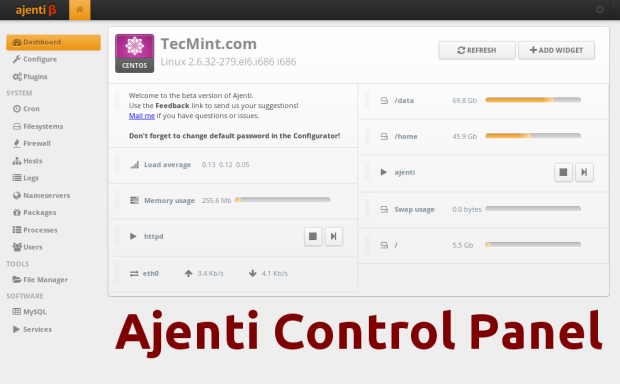 การติดตั้งแบบอัตโนมัติ(ด่วนๆ) (CentOS 6 / RHEL6) curl https:/
การติดตั้ง Kloxo Panel บน Centos 6.5
การติดตั้ง Kloxo Panel บน Centos 6.5 Kloxo Panel is a free control panel to manage your server. Kloxo Panel is one of the best alternative for cPanel. Many newbies search for the installation process